Turn your app into short videos. Track the signups.
Real screen recordings. Narration and captions. One tracking link per video.
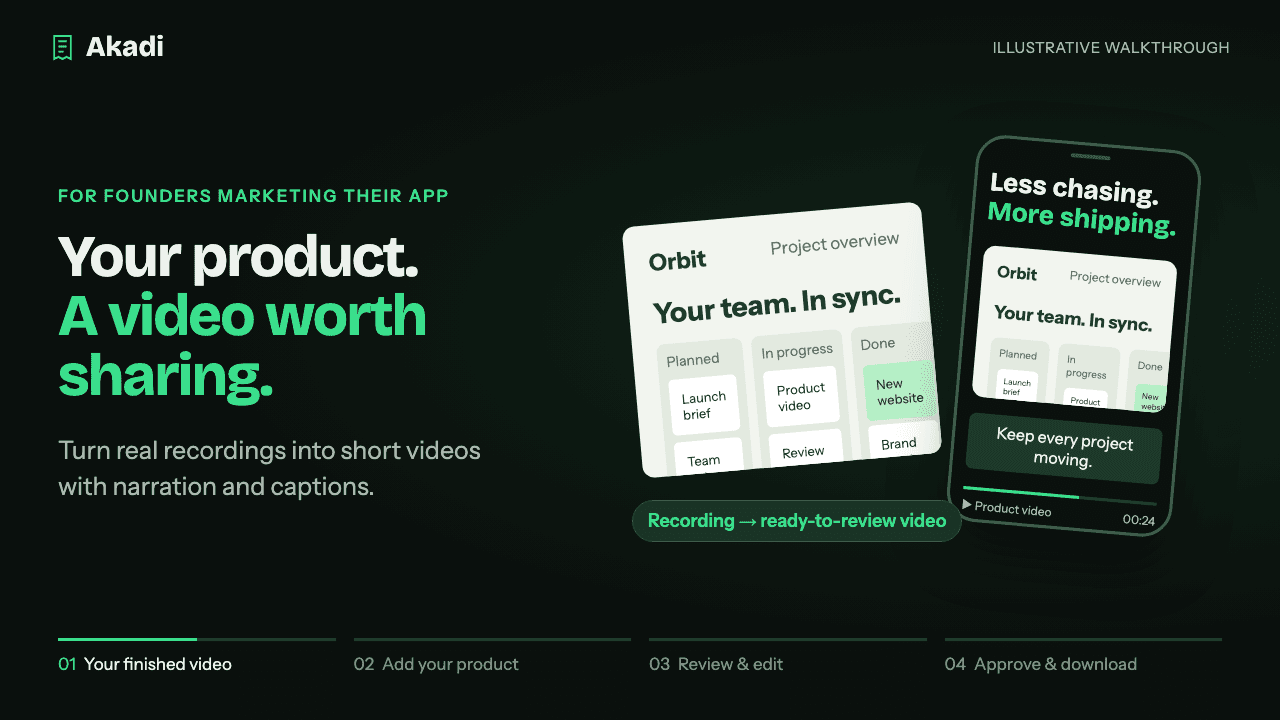
Paste your website and add a recording of your app. Akadi makes a short video, up to 30 seconds, for TikTok, YouTube Shorts and Instagram Reels, then tracks the clicks and signups it brings.
Free trial · No credit card · Yours to downloadWatch 16 sec
From recording to ready to share16 sec
Illustrative walkthrough · Website or App Store link + recording → review → download. Sound optional.
Your product footageNarration + captionsReady to download
Your next feature. Your next video.
From “we should post” to a video you can share.
Product updates. Feature spotlights. New use cases. Keep the stories coming.
01 /
Add your product
Paste your website and add a recording. Show the real clicks, screens and features that make your app useful.
Website + product recording
02 /
Make it yours
Get a video with a clear story, narration and captions. Review it and adjust the text and layout before approving.
Review + included edits
03 /
Share. See what works.
Download your video, share its tracking link and connect your website’s conversion tracking to see the results.
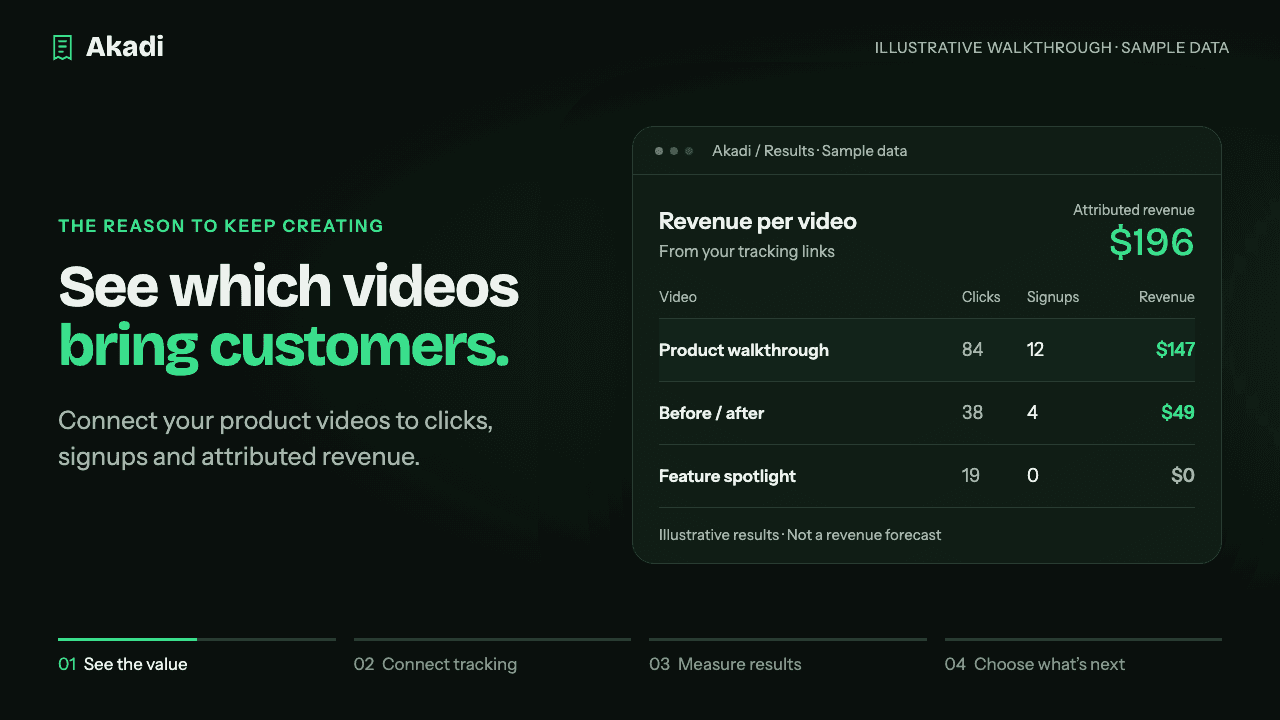
A finished video is the start. Akadi connects each video to a tracking link, so you can see which stories bring people to your product—and what they do next.
See clicks, signups and attributed revenue per video.
Compare your videos in one results view.
Use the results to choose your next product story.
Tracking is built in. Add the one-line Akadi tracker to your website, and signups report back to the video that brought them.
Per-video figures are rounded monthly-plan equivalents, not pay-as-you-go prices. Each plan is billed monthly, or yearly for the price of 10 months, in USD. Yearly plans still add videos every month.
Unused paid videos roll over for one month, up to your plan’s monthly allowance. Optional paid supporting footage is separate. Cancel from Settings.
Before your first video
A few useful answers.
The short version: paste your site, add a recording, review the video, download it and track the signups.
Akadi is an AI short-form video maker for founders and small SaaS teams marketing their products. It turns product recordings into short videos with narration and captions for TikTok, YouTube Shorts and Instagram Reels. Each approved video gets a tracking link to measure clicks, signups and attributed revenue.
What do I need to get started?+
Start with your product website. Add a screen recording to show your actual app in action. Without a recording, Akadi uses an illustrated site preview.
Can I use Akadi for a mobile app?+
Yes. Paste your App Store or Google Play link where a website would go. You need no phone, simulator or build file. Akadi reads your public store page and makes the video from your own store screenshots, labeled as screenshots; it never invents taps or screens. A screen recording of your app makes a better video, and it is optional. The video link goes to your store page. Akadi counts the clicks, and App Store Connect or Play Console shows the downloads for each video.
What does Akadi create?+
A short product video, up to 30 seconds, with a structured story, narration and synchronized captions. Review the finished video, make text and layout edits, then approve and download it.
Can I use Akadi for TikTok, YouTube Shorts and Instagram Reels?+
Yes. Akadi creates vertical product videos that you can download and post to TikTok, YouTube Shorts and Instagram Reels. Instagram Reels publishing is also supported through the Instagram integration when the connection is available and publishing is enabled. Check Settings for the integrations available to your account.
How does Akadi help me keep posting?+
Paid plans include a new video allowance each month. Create videos around different product features, updates and use cases, review each one, then use its tracking results to decide which stories to make more of. You choose what to approve and share.
Can I try it before paying?+
Yes. Start with a free trial, with no credit card required. Your available video allowance is shown in the app before you create. The trial is a one-time allowance; paid plans add new videos every month, whether billed monthly or yearly.
How does revenue tracking work?+
Each approved video gets a unique tracking link. Share that link with your video, then connect conversion tracking on your website to report signups and purchases. Akadi matches reported outcomes to the video’s link. Revenue is attributed from your tracking data, not guaranteed by creating a video.
Does Akadi publish the videos for me?+
You can download approved videos and publish them yourself. Scheduling is a separate step and requires an available, connected platform integration. You can check the available connections in Settings.
What happens to unused videos?+
Unused paid-plan videos carry forward for one month, capped at one month of your plan. The free trial does not renew. Text and layout edits are included; optional paid supporting footage is separate.
Can I cancel my subscription?+
Yes. Manage your billing and cancel from Settings. You can also export your data and request account deletion from your account settings.
Your product has a story. Show it.
Make your first product video free.
See what Akadi can make for your app. Then decide if it belongs in your workflow.